> ## Documentation Index
> Fetch the complete documentation index at: https://docs.speckle.systems/llms.txt
> Use this file to discover all available pages before exploring further.
# Model Federation
> Assemble models from different software into one cohesive view.
Model federation makes it easy for different teams, like architects, structural engineers,
and MEP designers, to share and combine their models without sending huge files back and forth.
Speckle lets you combine models created in different software, Revit, Rhino, AutoCAD, and more,
without juggling huge files.
## How does model federation work?
1. **Publish separately.**
Each team uploads their model straight from the tool they use into a Speckle project
(think a project folder that holds all the models).
2. **Assemble on demand.**
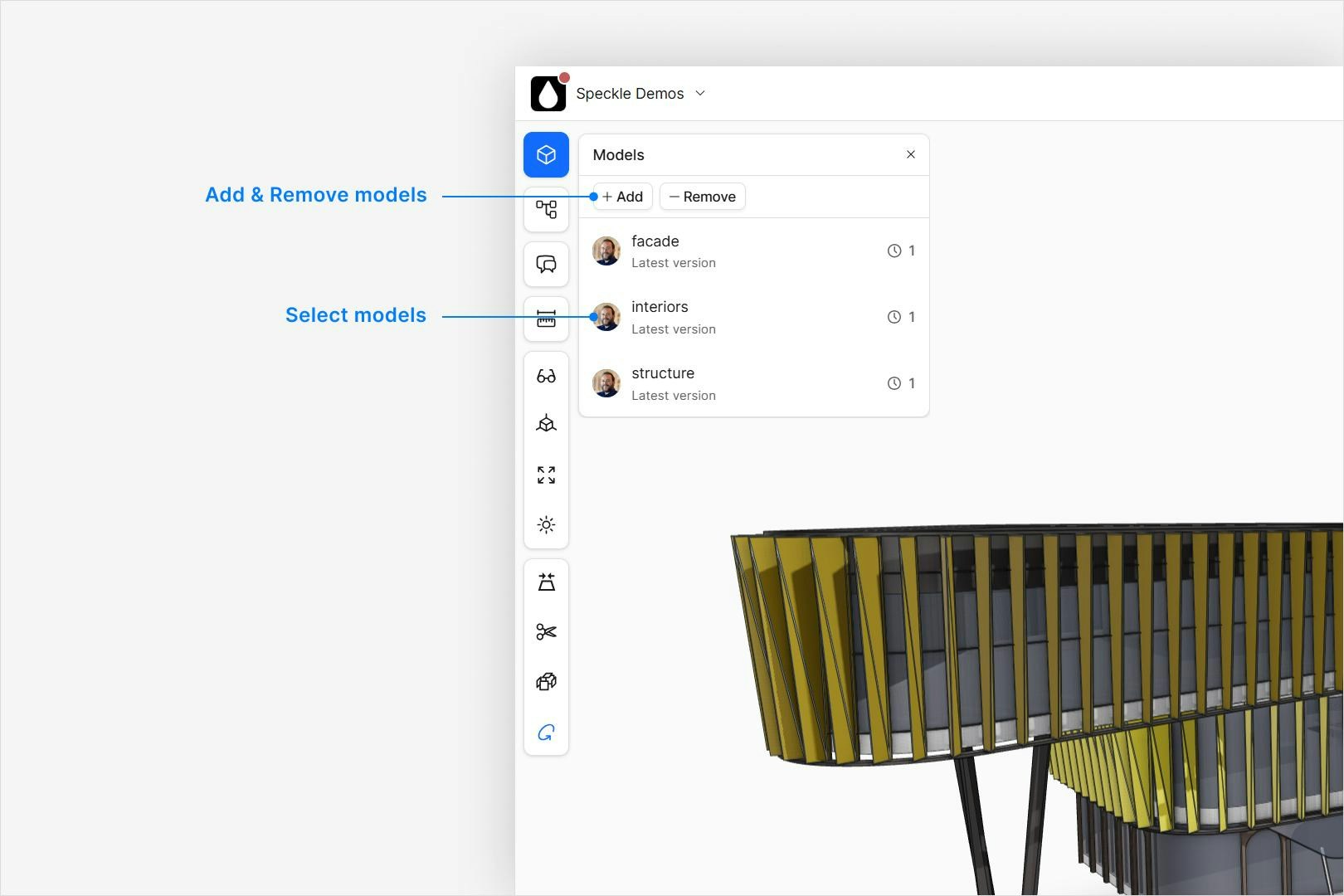
In your project, click Add in the left sidebar to bring in other models alongside
the one you opened.
 3. **Combine everything.**
From the main project view, click View All in 3D. This opens the 3D Viewer and
displays every model together in one scene.
3. **Combine everything.**
From the main project view, click View All in 3D. This opens the 3D Viewer and
displays every model together in one scene.
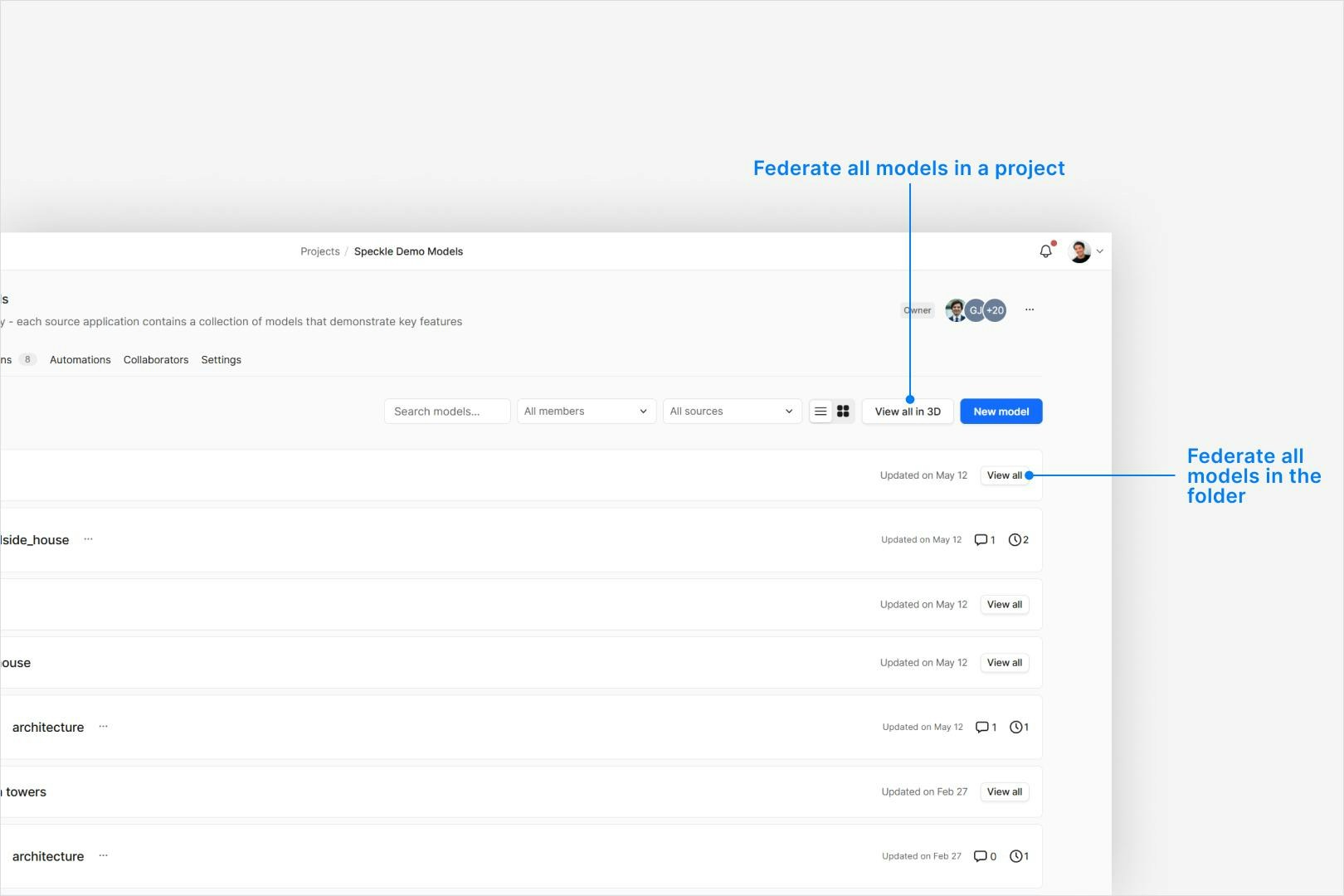 When a federated model view is generated from the a model folder, additional project models can be
added to the federation, but none removed from the view. Instead either assemble a federation by
adding models one at a time, or use the hide and isolation tools.
When a federated model view is generated from the a model folder, additional project models can be
added to the federation, but none removed from the view. Instead either assemble a federation by
adding models one at a time, or use the hide and isolation tools.