> ## Documentation Index
> Fetch the complete documentation index at: https://docs.speckle.systems/llms.txt
> Use this file to discover all available pages before exploring further.
# Quickstart Guide
> Get started with Speckle Automate in just a few steps. This guide will walk you through creating your first function and automation.
## Prerequisites
Before you begin, make sure you have:
* An **Enterprise plan** workspace on [app.speckle.systems](https://app.speckle.systems)
* A verified account on [app.speckle.systems](https://app.speckle.systems)
💡 You must verify your account by responding to the email sent to you upon sign-up.- An
account on [github.com](https://github.com)
🔧 **GitHub Integration**: GitHub is currently the default platform for function development and
deployment. We're working on supporting additional platforms to make Automate more flexible for
all users.
## User Interface
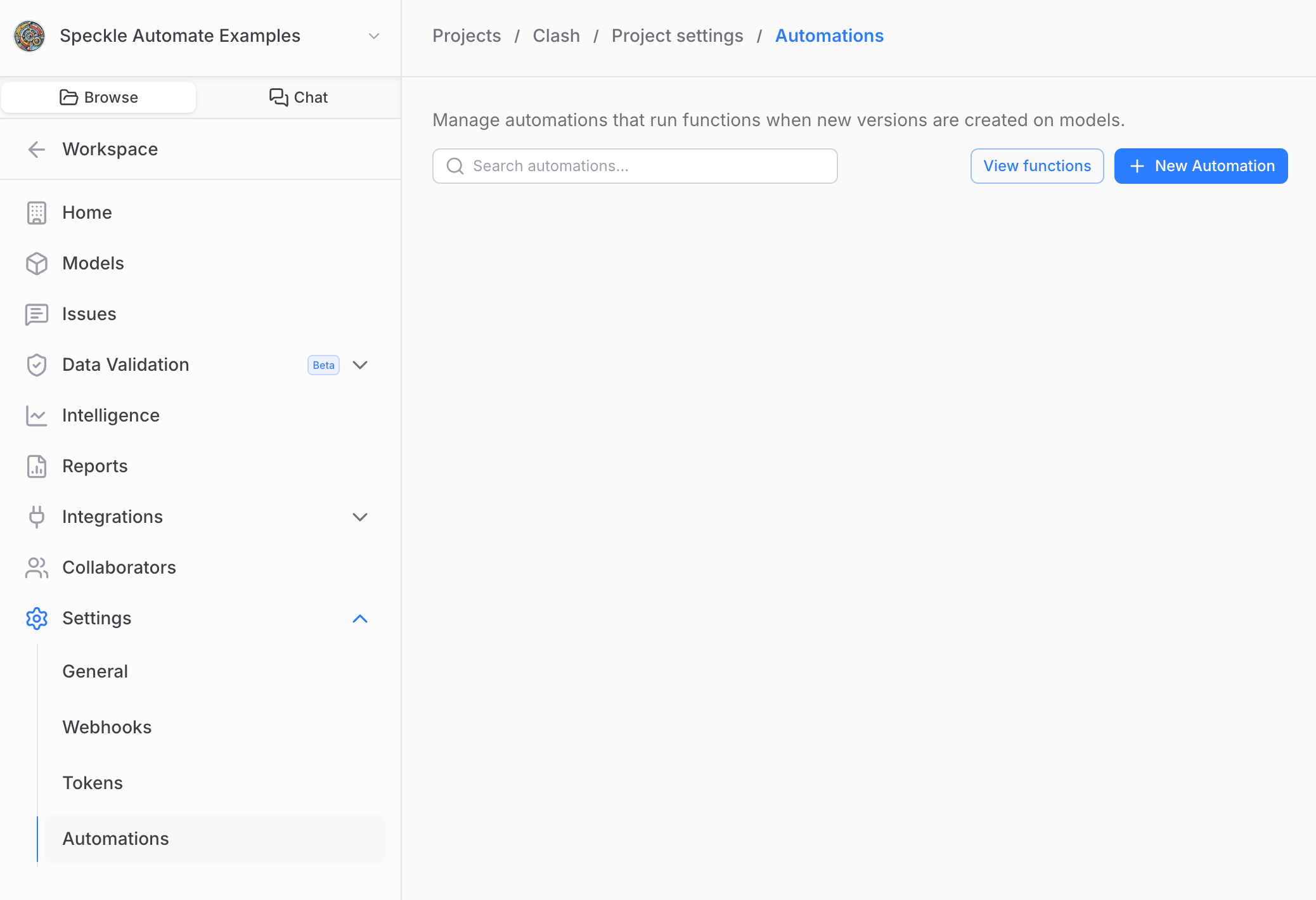
Automate is fully integrated into the main Speckle web application interface. You can access it by navigating to a project in an Enterprise workspace where you are the owner:
 * Navigate to a project in an Enterprise workspace where you are a collaborator
* Go to the **Automations** tab and select **View Functions**
* Click **New Function** in the top right
* Follow the [function creation wizard](/developers/automate/create-function) to set up your project
🧙♂️ The wizard automatically creates a GitHub repository, GitHub Actions workflow, and injects necessary environment variables.
* **Open the Repository**: View your project on GitHub. - **Open in Codespace**: Start coding
immediately in a virtual environment. - **Customize Your Function**: Edit the template code to
implement your business logic. - **Test Locally**: Use the [testing
utilities](/developers/automate/function-testing) to validate your function. - **Make a Release**:
Create a GitHub release to deploy your function.
* Go to the **Automations** tab in your project
* Click **New Automation**
* Select your function from the library
* Configure function inputs and parameters
* Choose a Speckle model to trigger the automation
* Name your automation and click **Create**
For detailed instructions, see [Creating Automations](/developers/automate/create-automation)
Once your automation runs:
* **Model Scene View**: Look for the results "doughnut" icon in the 3D viewer
* **Project Dashboard**: Check the model list for automation indicators
* **Results Details**: Click on run cards to see detailed results and artifacts
For more details, see [Viewing Results](/developers/automate/viewing-results).
## What's Next?
Now that you have the basics, explore:
* [Function Inputs](/developers/automate/function-inputs) - Learn how to configure user inputs
* [Working with Data](/developers/automate/function-data) - Understand how to process Speckle data
* [Function Testing](/developers/automate/function-testing) - Set up comprehensive testing
* [Creating Artefacts](/developers/automate/function-artefacts) - Generate reports and new model versions
🚀 **Pro Tip**: Start with simple functions and gradually add complexity. The Automate platform is
designed to be flexible and powerful.
## Additional Resources
* [Frequently Asked Questions](/developers/automate/frequently-asked-questions) - Common questions about Speckle Automate
* [Important Considerations & Limitations](/developers/automate/important-considerations) - Important information about data handling, access, and infrastructure limitations
## Need Help?
* Visit our [Community Forum](https://speckle.community/invites/Fbk5j1wbRW) for support
* Navigate to a project in an Enterprise workspace where you are a collaborator
* Go to the **Automations** tab and select **View Functions**
* Click **New Function** in the top right
* Follow the [function creation wizard](/developers/automate/create-function) to set up your project
🧙♂️ The wizard automatically creates a GitHub repository, GitHub Actions workflow, and injects necessary environment variables.
* **Open the Repository**: View your project on GitHub. - **Open in Codespace**: Start coding
immediately in a virtual environment. - **Customize Your Function**: Edit the template code to
implement your business logic. - **Test Locally**: Use the [testing
utilities](/developers/automate/function-testing) to validate your function. - **Make a Release**:
Create a GitHub release to deploy your function.
* Go to the **Automations** tab in your project
* Click **New Automation**
* Select your function from the library
* Configure function inputs and parameters
* Choose a Speckle model to trigger the automation
* Name your automation and click **Create**
For detailed instructions, see [Creating Automations](/developers/automate/create-automation)
Once your automation runs:
* **Model Scene View**: Look for the results "doughnut" icon in the 3D viewer
* **Project Dashboard**: Check the model list for automation indicators
* **Results Details**: Click on run cards to see detailed results and artifacts
For more details, see [Viewing Results](/developers/automate/viewing-results).
## What's Next?
Now that you have the basics, explore:
* [Function Inputs](/developers/automate/function-inputs) - Learn how to configure user inputs
* [Working with Data](/developers/automate/function-data) - Understand how to process Speckle data
* [Function Testing](/developers/automate/function-testing) - Set up comprehensive testing
* [Creating Artefacts](/developers/automate/function-artefacts) - Generate reports and new model versions
🚀 **Pro Tip**: Start with simple functions and gradually add complexity. The Automate platform is
designed to be flexible and powerful.
## Additional Resources
* [Frequently Asked Questions](/developers/automate/frequently-asked-questions) - Common questions about Speckle Automate
* [Important Considerations & Limitations](/developers/automate/important-considerations) - Important information about data handling, access, and infrastructure limitations
## Need Help?
* Visit our [Community Forum](https://speckle.community/invites/Fbk5j1wbRW) for support