

Autodesk Forma Data Management is the current name for Autodesk Construction Cloud (ACC).
Labels and URLs in Autodesk admin may still use ACC naming.
Syncing from Forma Data Management is available on the Enterprise plan. See the user
guide for plan details.
On self-hosted deployments, ACC integration is available only on Speckle Enterprise Server with a
license key, and your server admin
turns it on in the deployment first. See ACC
integration in the
Enterprise deployment guide.
If Custom Integrations is not visible in the Account Admin panel, the account may not have the
required role. Contact your Autodesk administrator.
1
Add a custom integration in Autodesk admin
- Go to Autodesk Account Admin, or acc.autodesk.eu for the European region. The URL still uses the ACC name.
- In the Account Admin panel, select Custom Integrations.
- Select Add custom integrations.
-
Enter the integration details (copy the Client ID exactly, with no extra spaces):
- Client ID:
5Y2LzxsL3usaD1xAMyElBY8mcN6XKyfHfulZDV3up0jfhN5Y - Name:
Speckle
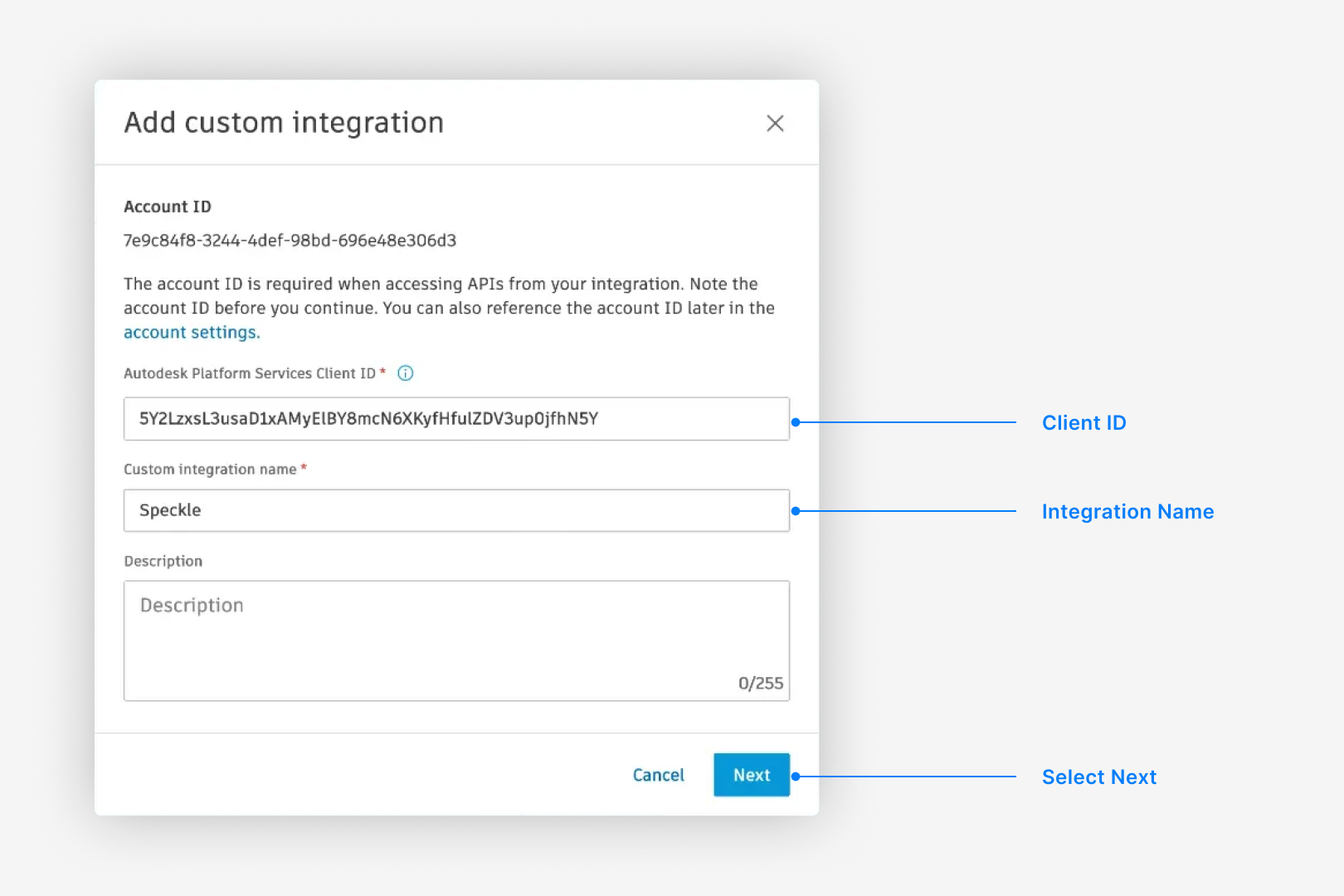
- Client ID:
- Select Next.
-
On the permission warning, select Proceed Anyway.
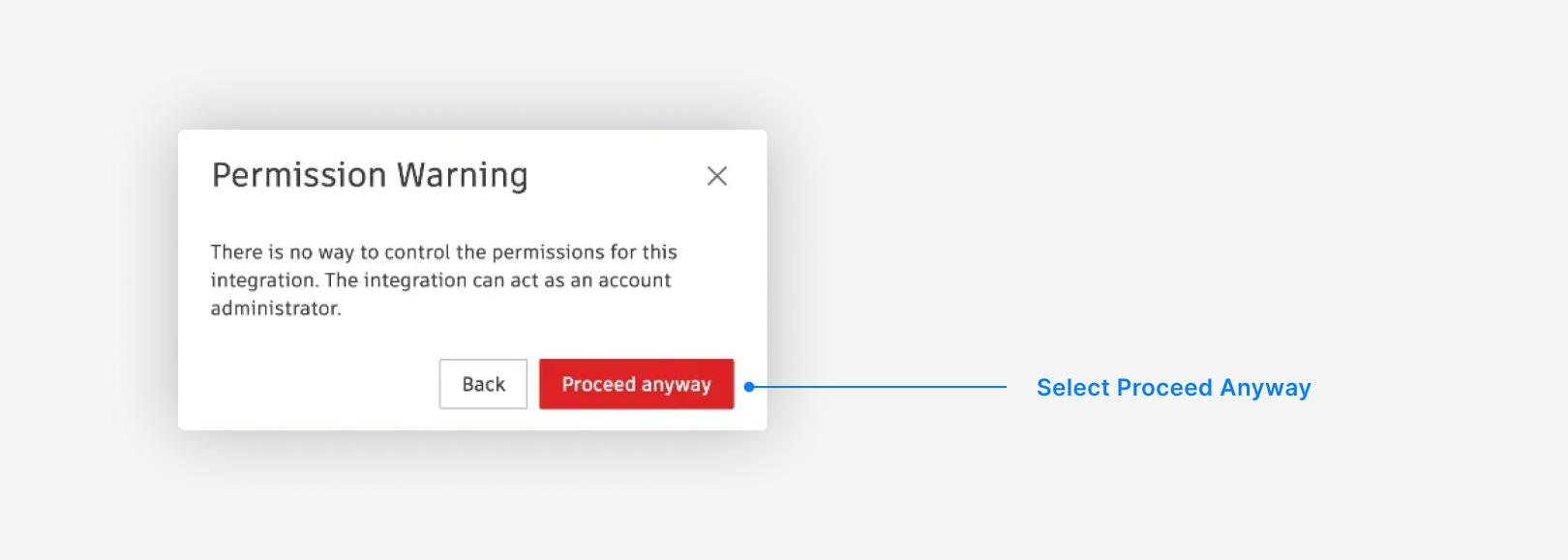
The warning in step 6 comes from Autodesk, not Speckle. Autodesk does not offer granular
permission controls for Custom Integrations, so the dialog cannot show the actual scope. Speckle
requests only read-only scopes (
account:read, user-profile:read, data:read, data:search,
bucket:read, viewables:read, openid) to reach files and metadata for conversion. See
Autodesk scope definitions
for details.Speckle inherits each user’s existing permissions in Autodesk Forma Data Management (ACC).
Users can see only hubs, projects, and folders they already have access to in Autodesk.