

Model federation makes it easy for different teams, like architects, structural engineers, and MEP designers, to share and combine their models without sending huge files back and forth. Speckle lets you combine models created in different software, Revit, Rhino, AutoCAD, and more, without juggling huge files.Documentation Index
Fetch the complete documentation index at: https://docs.speckle.systems/llms.txt
Use this file to discover all available pages before exploring further.
How does it work?
- Publish separately. Each team uploads their model straight from the tool they use into a Speckle project (think a project folder that holds all the models).
- Assemble on demand. In your project, click Add in the left sidebar to bring in other models alongside the one you opened.
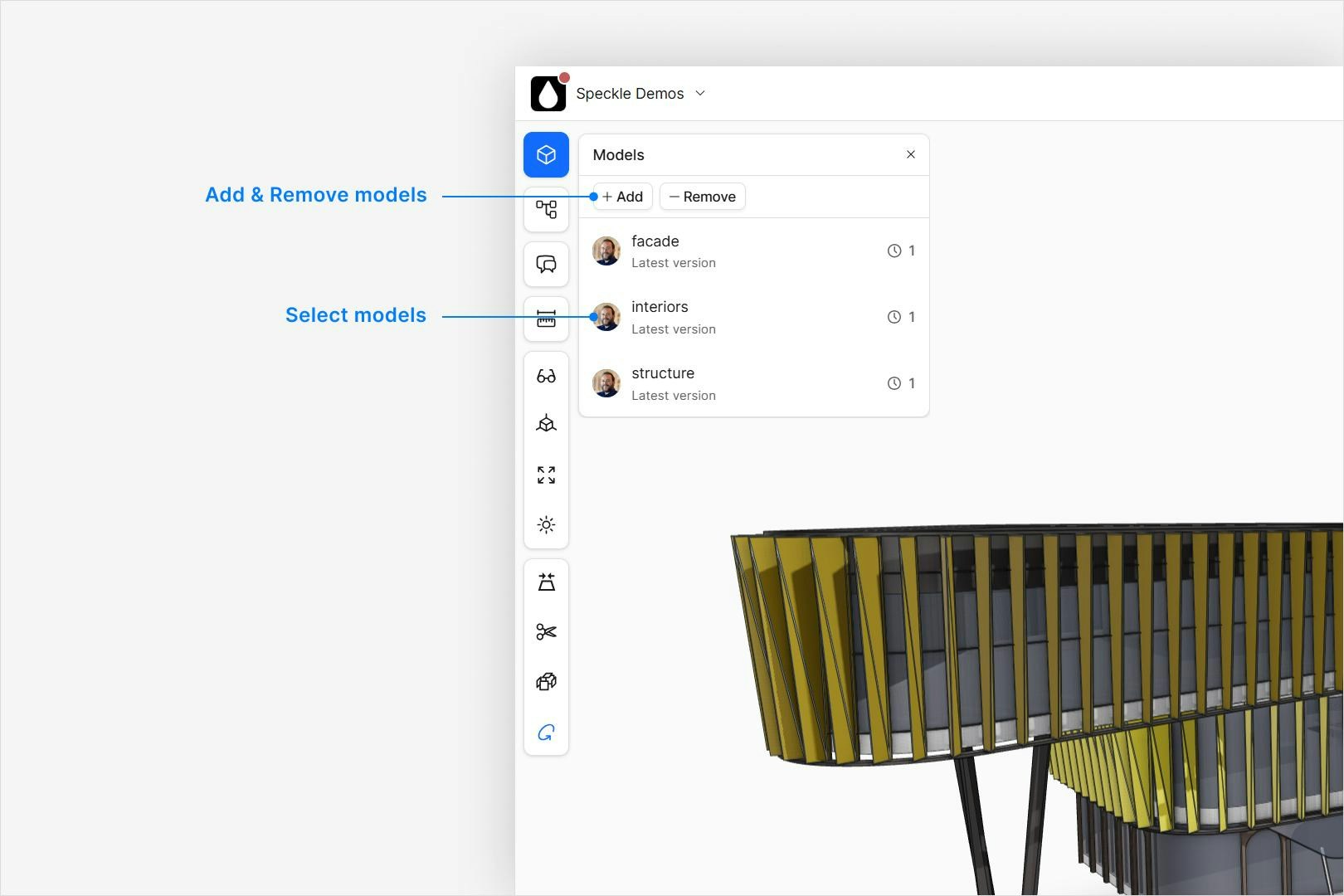
- Combine everything.
From the main project view, click View All in 3D. This opens the 3D Viewer and
displays every model together in one scene.
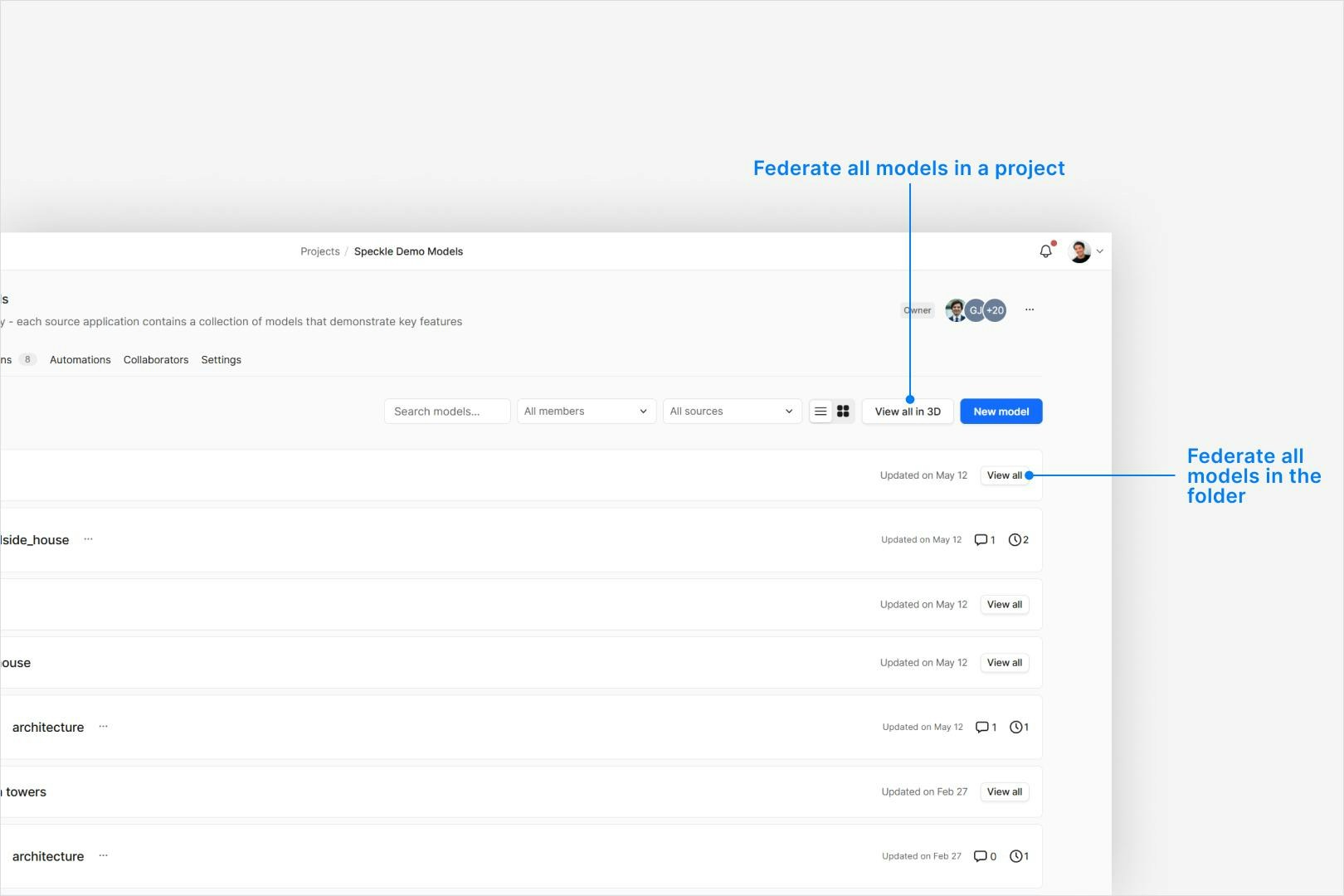
When a federated model view is generated from the a model folder, additional
project models can be added to the federation, but none removed from the view.
Instead either assemble a federation by adding models one at a time, or use
the hide and isolation tools.