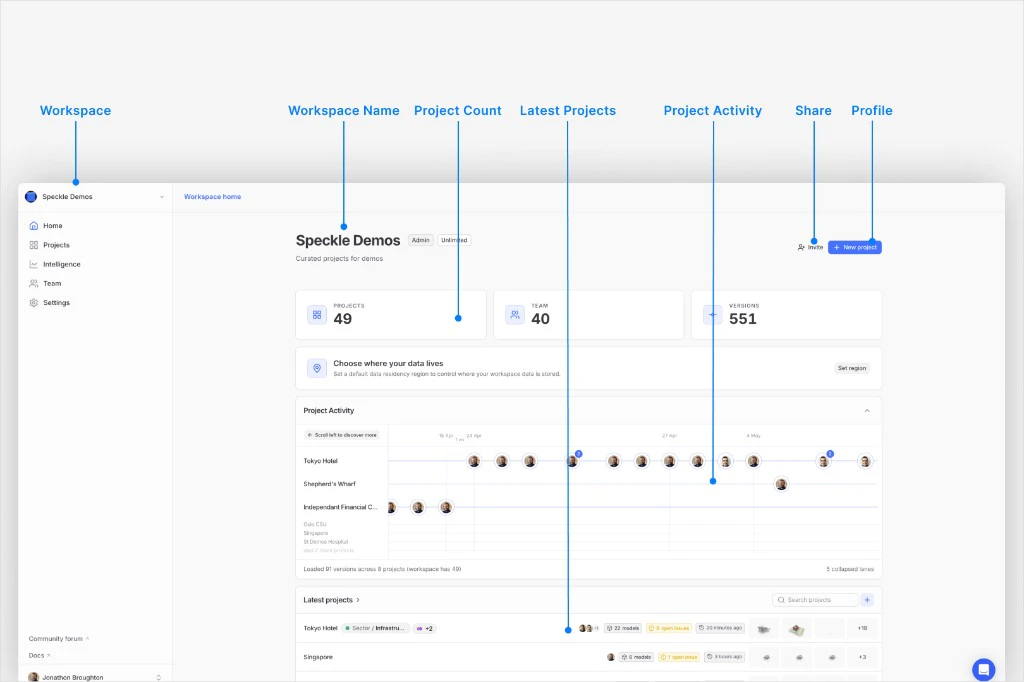
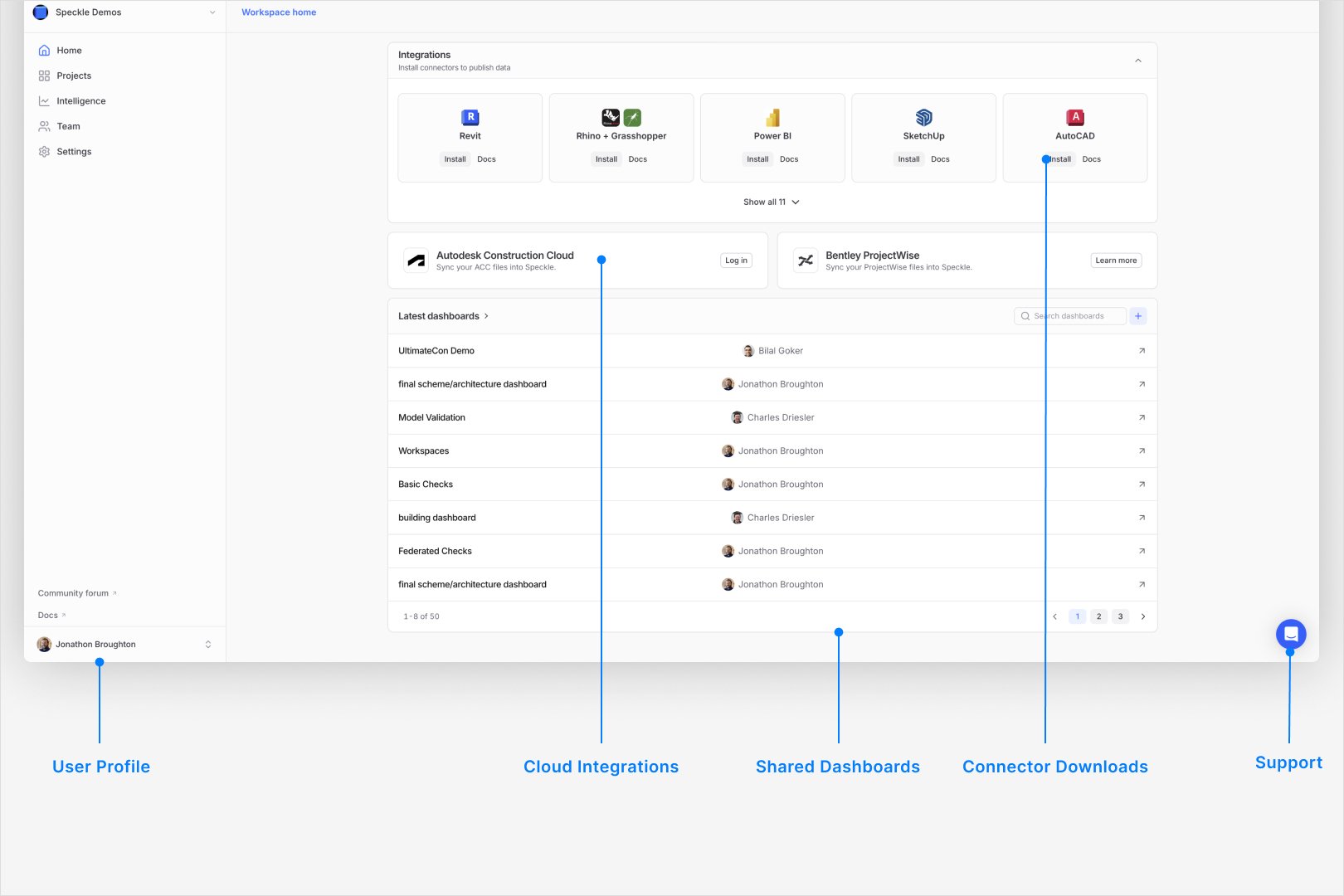
This beta is an optional web interface for the same Speckle account, workspaces, and project data as the current (classic) web app. You turn it on or off from your user menu; it does not duplicate or migrate data on its own. Speckle uses this beta to collect feedback on real workflows before a wider release. Screens and navigation may differ from classic; not every action may behave the same yet. The layout emphasizes workspace and project overview, and shorter paths to models, issues, and linked dashboards where your workspace includes them.
Public announcements and launch copy may describe goals, tone, and roadmap. This page stays limited to how the beta works, what may differ from classic, and how to give feedback.

Why the new interface exists

Speckle is evolving the web interface as a long-term update focused on:

Governance

Provide a clearer structure for permissions, controls, and operational workflows.

Industry workflows

Support common delivery and compliance workflows, including standards-driven collaboration such as ISO 19650.

Ease of use

Reduce navigation and task friction in common project and workspace flows.

Clear interface

Improve readability, responsiveness, and visual consistency across the app.

Insights first

Surface high-value signals early, based on how teams are already using dashboards.

Scale

Support larger workspaces, denser data, and heavier day-to-day usage.
This interface is not part of the public open-source speckle-server codebase. Only deployments that ship it separately can offer the beta; a default build from the open-source repository alone does not include it.

What you may notice in the beta

Depending on your workspace and integrations, the beta interface may surface:
  • A workspace view that highlights recent activity, projects, and ways to add or connect data.
  • Project views that group models, issues, presentations, and linked dashboards in fewer steps than some classic paths, where the feature is available.
  • Issues in the web app without opening the 3D viewer for every interaction, when the workflow supports it.
  • Model-focused pages that combine version history with related tools, when your workspace offers them.
  • Integration entry points (for example, ACC sync) from the workspace when that integration is enabled.
Exact screens and labels can change between beta releases.

Enable beta access

1

Open the user menu in classic Speckle

In your workspace, open the user menu at the top-right corner. You should see the account and server options.
2

Select Try new Speckle (Beta)

Click Try new Speckle (Beta) to open the new interface. The page reloads in the beta experience.
3

Continue working with your existing data

Use your existing projects and models as normal. You should see the same underlying projects and versions.
Classic Speckle user menu showing the Try new Speckle (Beta) option.
The beta toggle applies a UI preference. It does not change project or model data on the server.

Switch back to classic

1

Open the user menu in the beta interface

In the beta interface, open the user menu at the bottom of the sidebar (often in the bottom-left corner on wide layouts). You should see profile and appearance options.
2

Select Switch to classic

Click Switch to classic. The page reloads and returns you to the classic interface.
Beta Speckle user menu showing the Switch to classic option.

Share feedback

Report workflow gaps, confusing navigation, or regressions compared to the classic version. One thread or email per distinct issue helps triage.

Frequently asked questions

No. Opting in or out changes which interface you use. Your projects, models, and versions remain on the server as before.
The menu entry appears only when your deployment offers this beta. If it is missing, your workspace or server may not have the option enabled yet, your account may not be in scope for the current rollout, or you may be on a self-hosted server built only from the open-source Speckle Server repository, which does not include this interface.
No. It is maintained and released separately from the public speckle-server codebase. Self-hosters who rely solely on that open-source release should not expect this beta unless their distribution or vendor explicitly adds it.
Yes. Use Try new Speckle (Beta) from classic and Switch to classic from the beta interface. Each switch reloads the page.
Describe the workflow you were performing, what you expected, what happened instead, and your browser (and OS if relevant). Screenshots or short recordings speed up reproduction.
Not necessarily during beta. Treat differences as expected until parity is documented elsewhere. Use Switch to classic if you are blocked on a specific task.
Open one forum thread or email per missing workflow or control so it can be tracked. Say what you used to do in classic (screen name, menu path, or action), what outcome you needed, and what you tried in beta instead. The Insiders category works well for discussion; use [email protected] if you prefer email. Screenshots of classic and beta side by side help when the gap is visual.
Last modified on April 20, 2026