

The Databricks integration is in Beta and is enabled per workspace. Before you can register
tables, an IT administrator must prepare Databricks and connect the SQL warehouse in Speckle. If
your project’s Integrations does not show Databricks, ask your IT administrator to follow
Enable Databricks integration.
Setup
These steps assume an IT administrator has already connected a Databricks SQL warehouse in Speckle. If it hasn’t, your IT administrator must complete Enable Databricks integration first.1
Browse to your table
In Speckle, open your project’s Integrations > Databricks, expand catalog > schema, and find the table you want. Only catalogs, schemas, and tables your IT administrator has granted access to will appear. Select a table to preview its rows.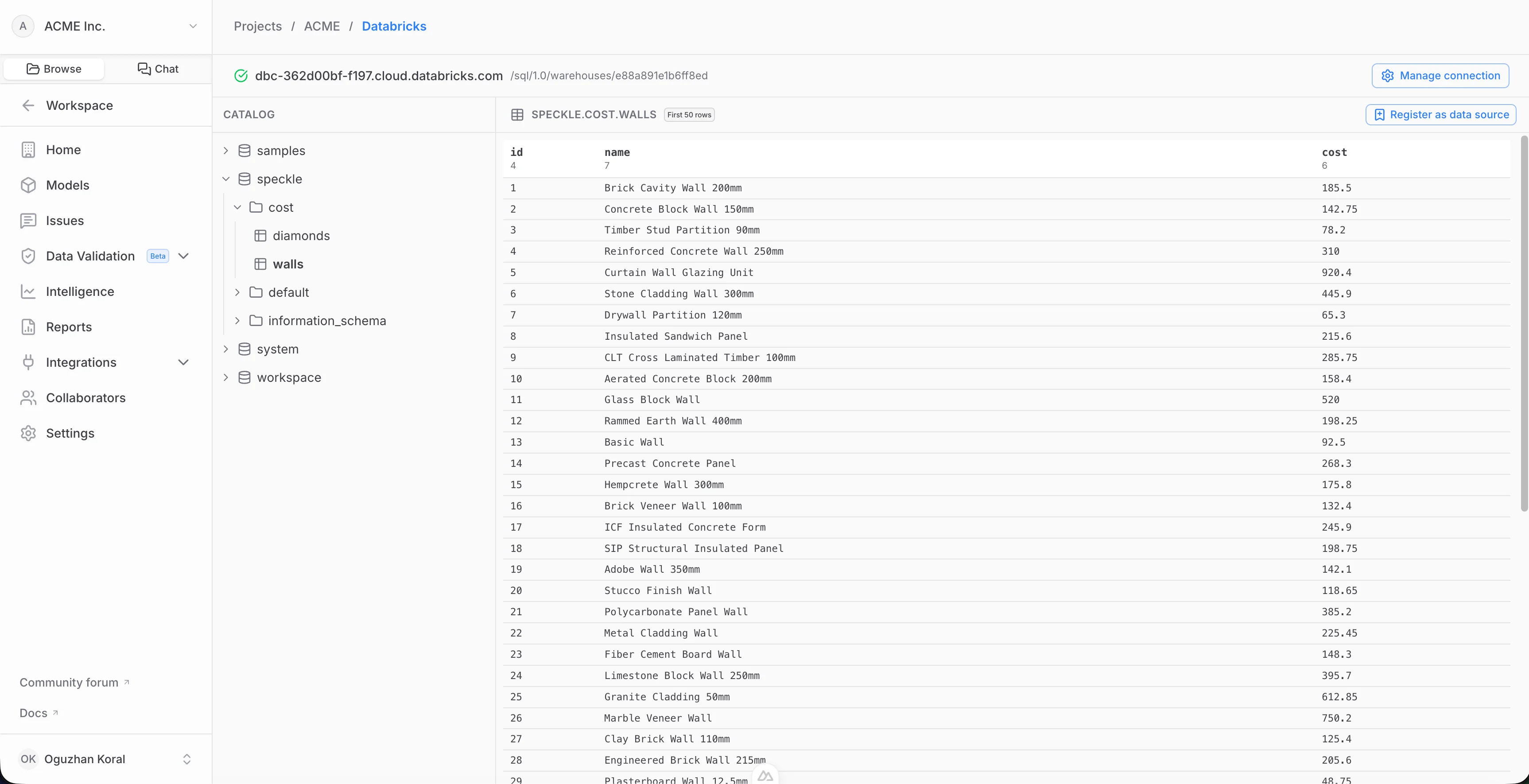
2
Choose the columns and register
Pick the columns to include — only the columns you choose are ever read or cached — then select Register. Speckle validates access, reads the selected columns, and builds the first snapshot. The table now appears as a registered data source.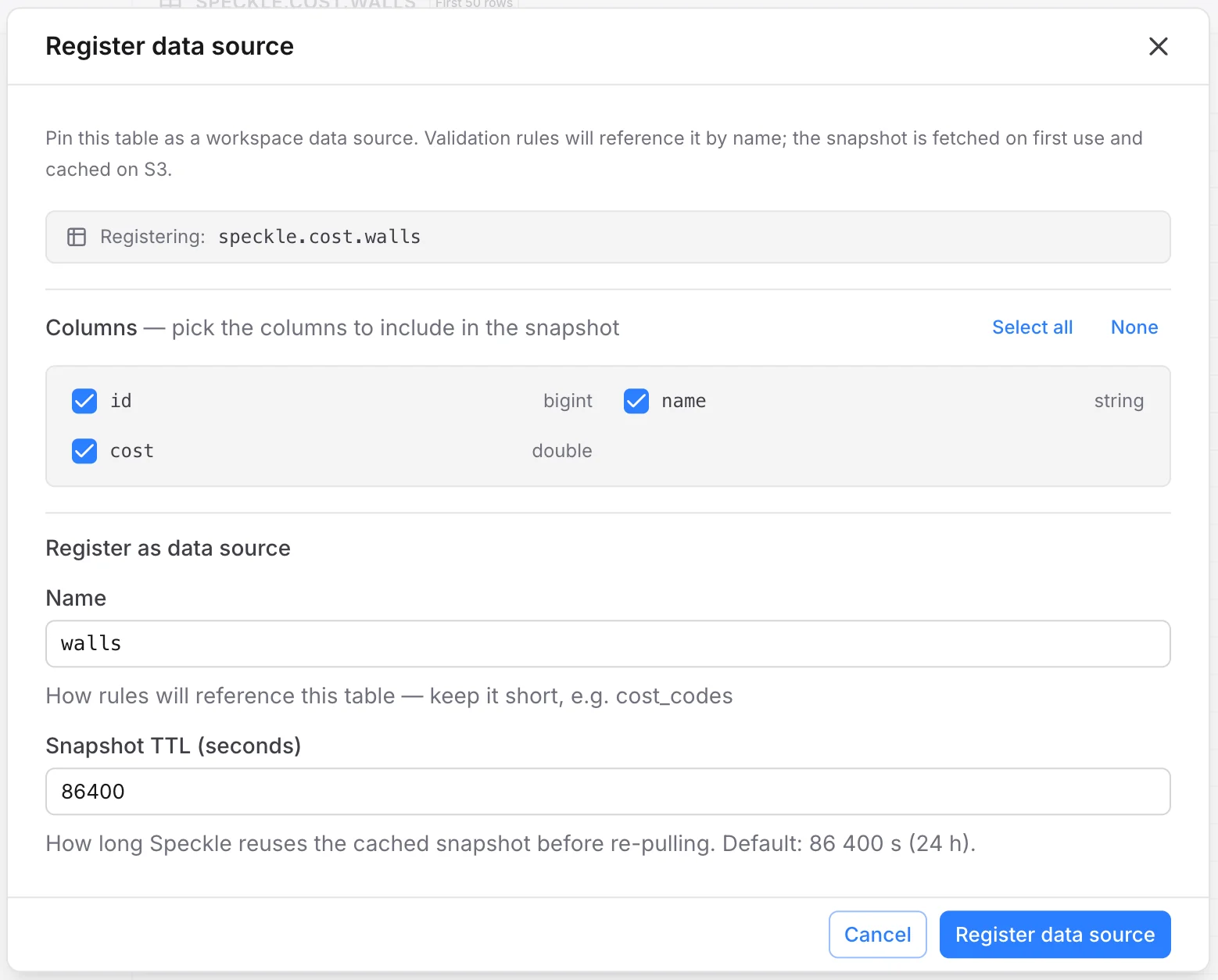
How snapshots are stored and refreshed
When you register a table, Speckle reads the columns you selected and stores a cached snapshot in your workspace’s object storage. Tools query the snapshot rather than your live warehouse.- Automatic refresh. A snapshot is rebuilt from the warehouse when it goes stale (default freshness window: 24 hours), the next time it’s used.
- Manual refresh. You can force an immediate refresh from the registered table’s controls — useful right after the source data changes.
- Disconnecting. If your IT administrator removes the Databricks connection, registered sources keep serving their last snapshot read-only. Reconnecting the same warehouse relinks them and resumes refreshing.
FAQ
Which columns does Speckle read?
Which columns does Speckle read?
Only the columns you select when registering a table. Columns you don’t include are never
queried or cached.
Is the data live or cached?
Is the data live or cached?
Speckle stores a snapshot of your registered columns and refreshes it on a schedule. See How
snapshots are stored and refreshed.
What happens if the Databricks connection is removed?
What happens if the Databricks connection is removed?
Your registered sources keep serving their last cached snapshot read-only, so existing tools
don’t break. If your IT administrator reconnects the same warehouse, refreshing resumes.
Can Speckle modify or write to my warehouse?
Can Speckle modify or write to my warehouse?
No. The integration is read-only — Speckle issues
SELECT queries only and never writes,
updates, or deletes data in Databricks.