Ways to get data into Speckle
- Connectors - Plugins inside your design tools for publishing and loading model data
- Cloud integrations - Automatic sync from platforms like Autodesk Forma Data Management, Bentley ProjectWise, Trimble Connect, and SharePoint
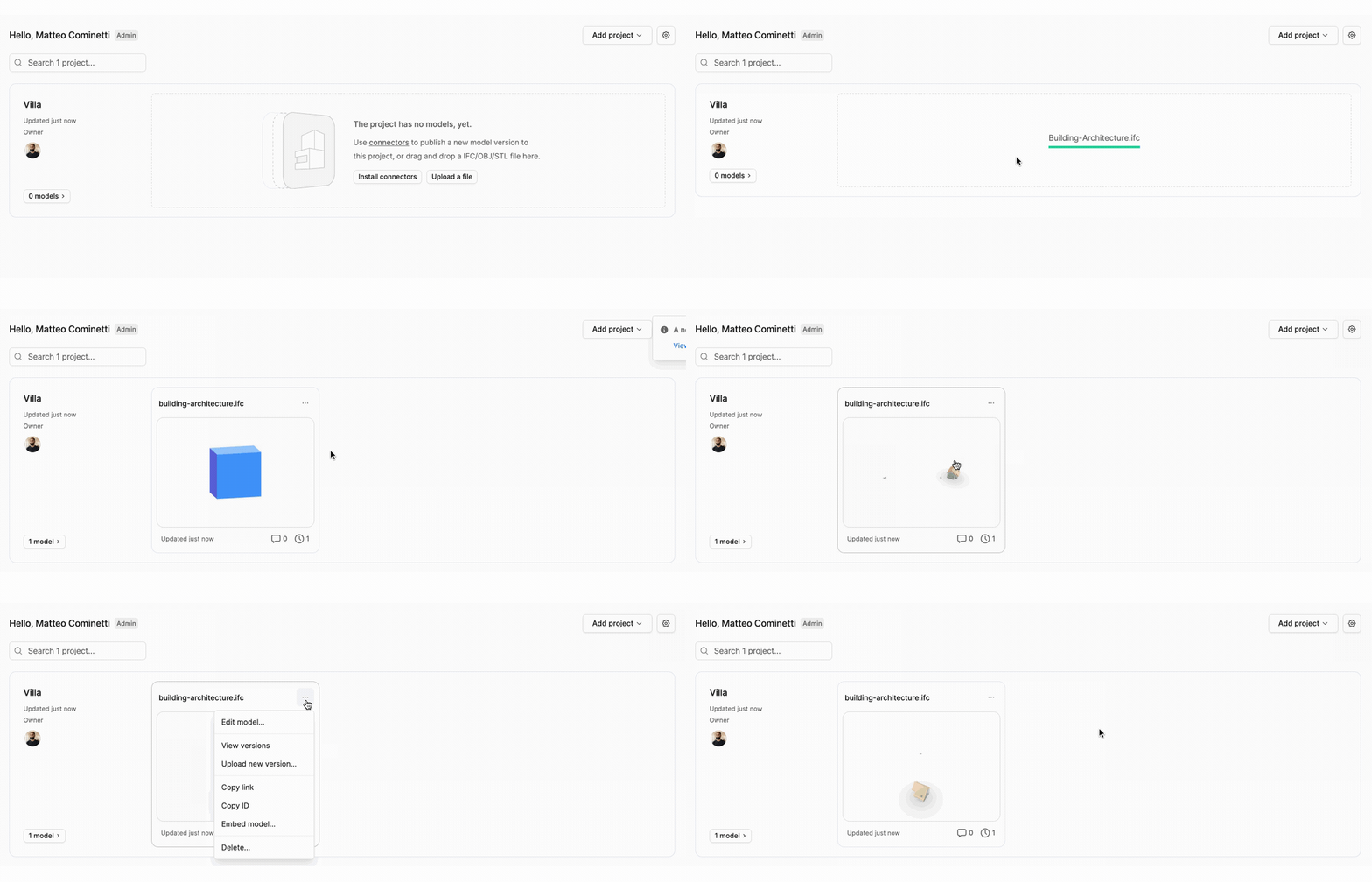
- File uploads - Direct uploads when a connector is not available
Connectors
Connectors integrate directly with design tools like Revit, Rhino, Blender, and Grasshopper. Choose which objects and properties to publish for your workflow. Loading data preserves design intent where possible, not just geometry.What you can do
- Publish selected objects or filter by category
- Load models from other tools as reference geometry
- Track changes and sync only updated objects between versions
- Manage projects, models, and versions without leaving your application
- Access settings for detail level, reference points, and geometry optimization
- Build custom workflows in Grasshopper and Blender
Need a connector we don’t have? Request it on our forum
Update connectors for 2026.9
From 2026.9, connectors publish in a new data format. Your day-to-day work stays the same: you still publish and load through your connectors, and view and share in the web app. Models you already published stay readable, and publish, load, and view are faster in the new format. The 2026.9 upgrade window is open until 1 November 2026: update your connector before then. New publishes from an updated connector use the 2026.9 format. If you manage connectors for an organization, see Upgrade window for 2026.9.Update is the path. If an automation still reads the pre-2026.9 format, update that tool first so
the publisher can move. Until then, a 2026.8 connector publish stays in the earlier format and
older connectors can load it. See What if someone cannot update their connector
yet?.
- Revit: published geometry stays in Revit’s internal coordinates, and consumers pick the datum.
- Grasshopper: new Load, Publish, and Explore nodes. Switch existing scripts to the new nodes.
- Power BI: load models with Get Tables and a new
3D visual. Rebuild reports that use
GetByUrl. - Navisworks: there is no 2026.9 connector. 2026.8 is the last one. Upload larger NWC and NWD files instead.
- Vectorworks: the Vectorworks connector cannot load the 2026.9 data format yet. A 2026.8 publish can still be loaded, as with any other connector from 2026.8 or earlier.
Compatibility mode applies to ACC sync and file uploads only. It does not change the data format
published or loaded by desktop connectors. See Compatibility mode
and Speckle’s new data model.
Cloud integrations
Cloud integrations connect Speckle directly to another data service. ProjectWise can connect through Bentley Cloud or a supported on-premises WSG server.What you can do
- Sync models automatically when source files change
- Access data without installing plugins or desktop software
- Keep teams up to date with continuous synchronization
Available integrations
- Autodesk Forma Data Management (ACC) — Sync Revit files from Autodesk cloud projects (still often called ACC)
- Bentley ProjectWise — Sync supported files from Bentley Cloud or an on-premises WSG server
- Trimble Connect (beta) — Sync models from Trimble Connect projects through a workspace service account
- SharePoint (beta) — Sync files from SharePoint document libraries after a Microsoft admin approves Speckle
Forma Data Management, ProjectWise, and Trimble Connect integrations are available on the
Enterprise plan. During the SharePoint beta, Speckle turns SharePoint on for each workspace
that takes part. See each integration guide for setup details.
File uploads
Upload files directly when a connector is not available or you do not have access to the source software.Supported formats
The default upload path accepts IFC, Revit (RVT), Navisworks (NWC and NWD), AutoCAD (DWG), MicroStation (DGN), Rhino (3DM), Wavefront (OBJ), SketchUp (SKP), STEP, Vectorworks (VWX), and Solibri (SMC) files. Tekla Structures uploads are available where enabled. For the full list and the formats only compatibility mode accepts, see Supported file formats. Open-source self-hosted servers support IFC uploads only. Extended formats are available on app.speckle.systems.Extended formats on a self-hosted deployment require Speckle Enterprise Server and a license
key. See File imports
setup.
How it works
Each file upload creates a new version of your model, preserving complete version history. Upload new versions from the model’s dropdown menu.