

Compatible with Vectorworks 2026 Update 3 for Architect, Landmark, and Design Suite on macOS and
Windows.
This connector has no dedicated 2026.9 page yet — publish and load stay the same, and this guide
remains authoritative. See Design tools without a 2026.9
page for the 2026.9 data format
change and a load-compatibility caveat that affects Vectorworks specifically.
What This Connector Provides
- Publish your Vectorworks model to the Speckle web viewer to accelerate BIM collaboration workflows.
- Maintain element properties and hierarchy for coordination and analysis.
- Enable coordination with other BIM software using the Speckle open-standard data hub and connector ecosystem.
- Load model geometry from Speckle into Vectorworks as a reference while you design.
Installation
1
Install the Speckle Connector
In Vectorworks, go to Help > Install Partner Products. Select the Speckle Connector and restart Vectorworks.
2
Open the Speckle Connector
Go to Tools > Partner Products > Speckle to open the Speckle Connector palette.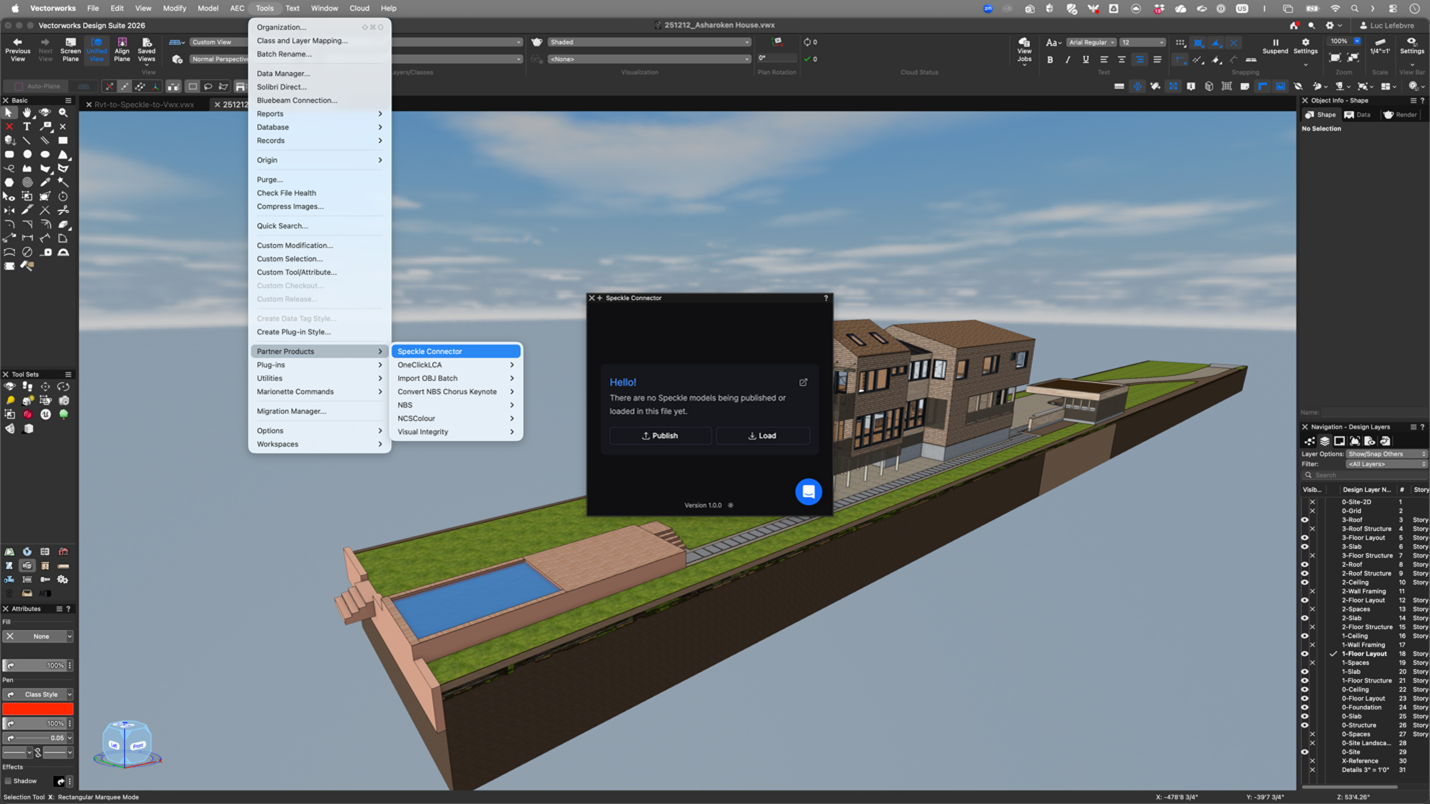
3
Sign in to Speckle
Follow the prompts in the Speckle Connector palette to sign in to your Speckle account and authorize the connector.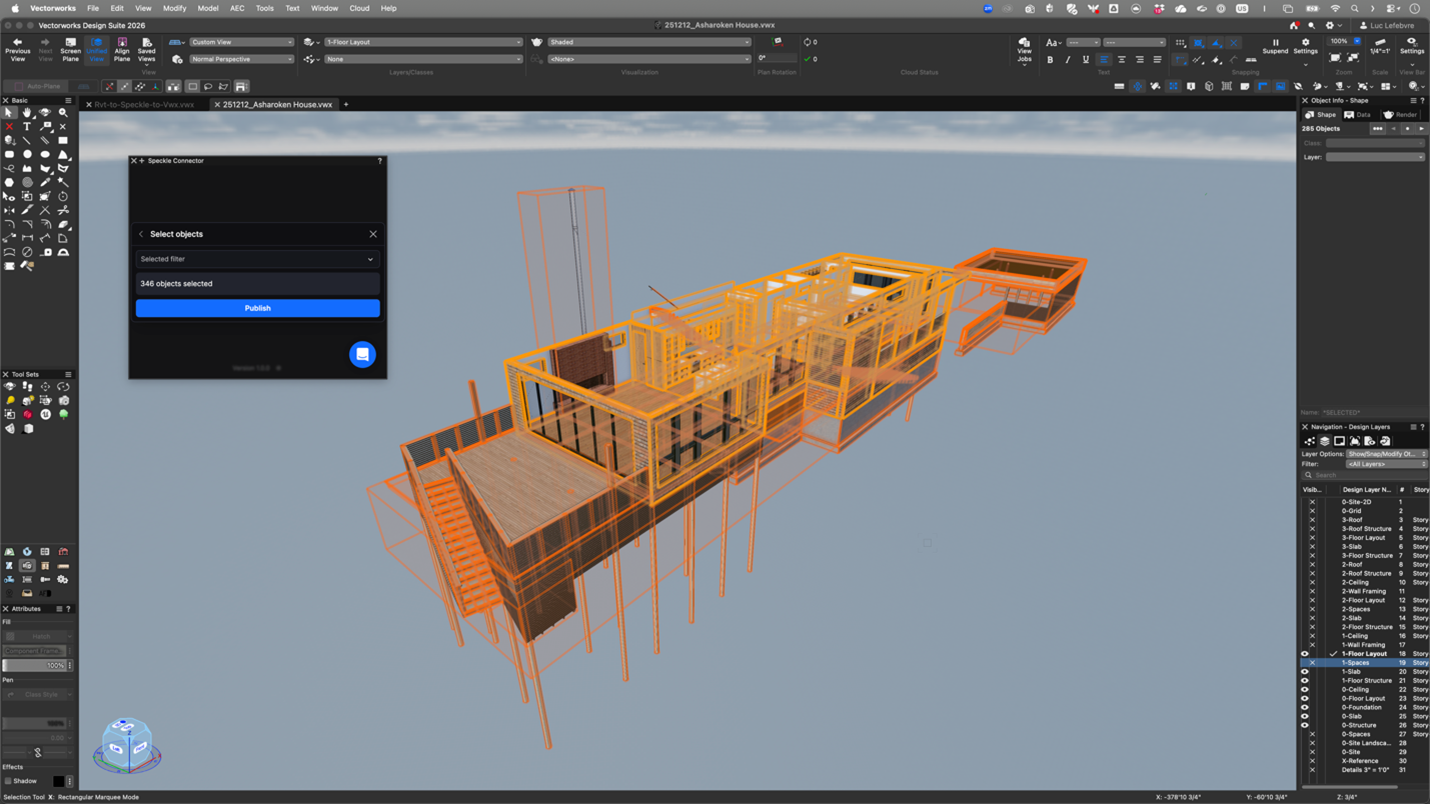
Publishing a Model
1
Select objects
Select the elements you want to publish in your Vectorworks document.
2
Click Publish
In the Speckle Connector palette, click Publish.
3
Create or select a project
If this is your first upload, you will be prompted to create a project. For existing projects,
select the project and specify a version number.
The Vectorworks connector only supports publishing selected objects. Category or view-based
filtering is not available.
Loading a Model
1
Click Load
In the Speckle Connector palette, click Load.
2
Select a project and model
Choose a Speckle project and the 3D model you want to load.
3
Use as reference
The loaded geometry appears in your Vectorworks document. Use it as a reference while you
design.
View Your Model on Speckle
To manage, view, collaborate, and coordinate your project using Speckle, go to the Speckle web viewer.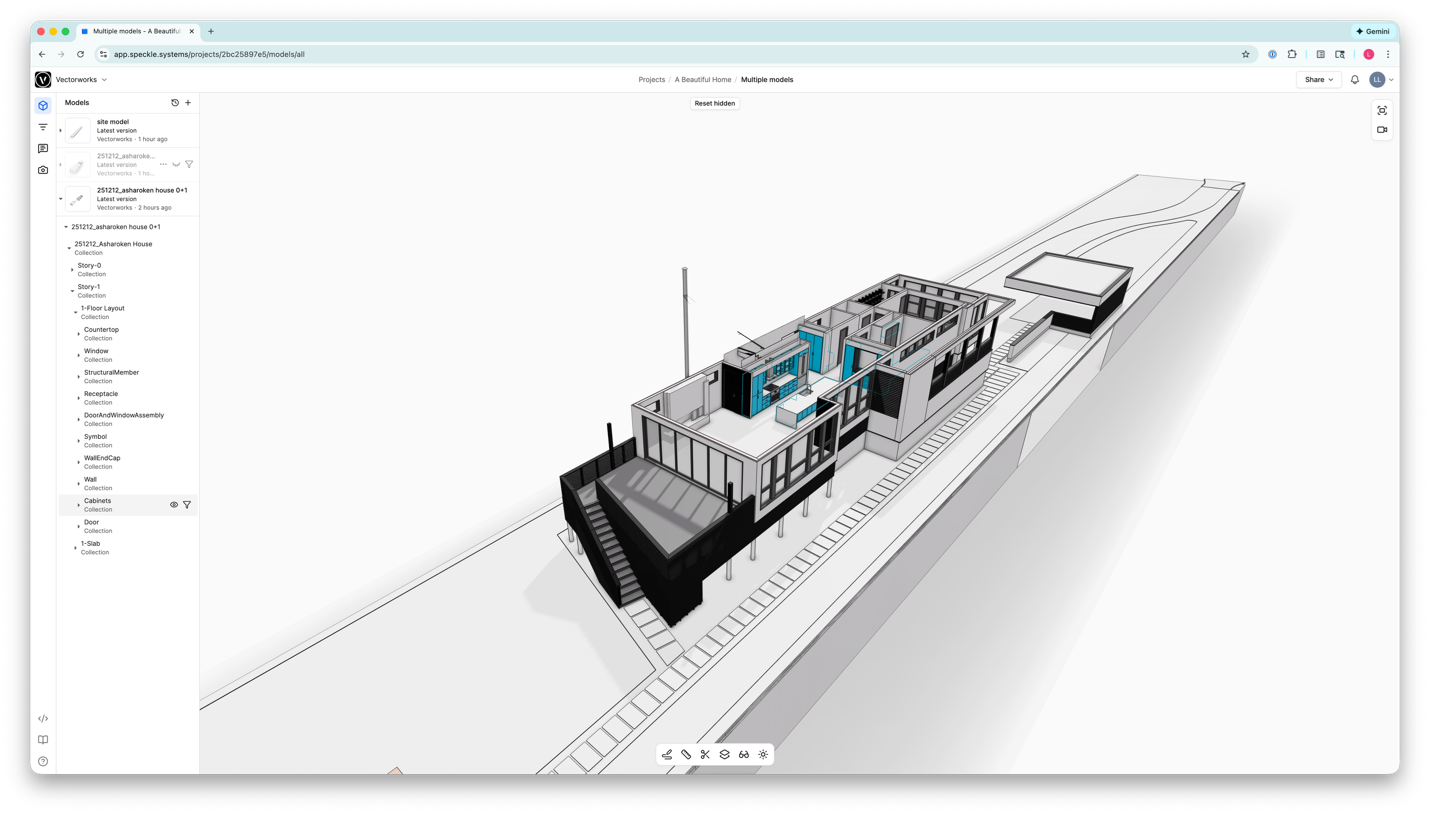
Support
Speckle does not provide support for this integration. For issues, questions, or feature requests,
contact the developer directly.
Using Third-Party Connectors
Third-party connectors typically use the same Desktop UI (DUI) interface as Speckle’s official connectors. This means the publish and load workflows are similar across applications. For general discussions about how this integrates with the Speckle ecosystem, visit the Speckle community forum.- Vectorworks support: vectorworks.net/support
- Vectorworks community: forum.vectorworks.net